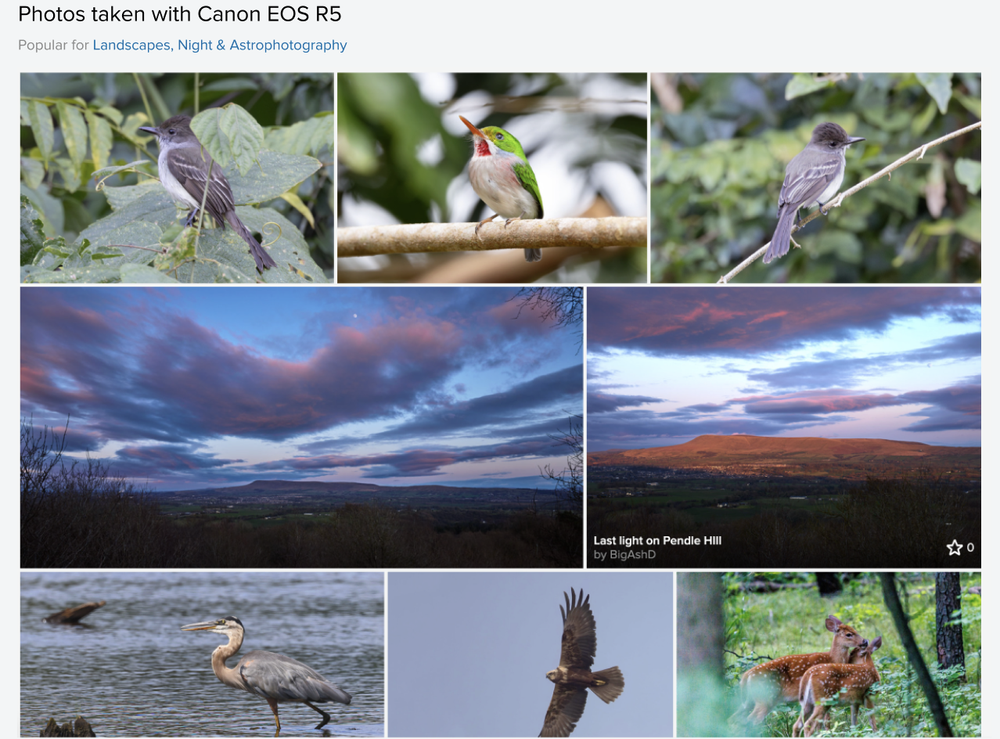
Camera Finder
Project Insights
The Problem
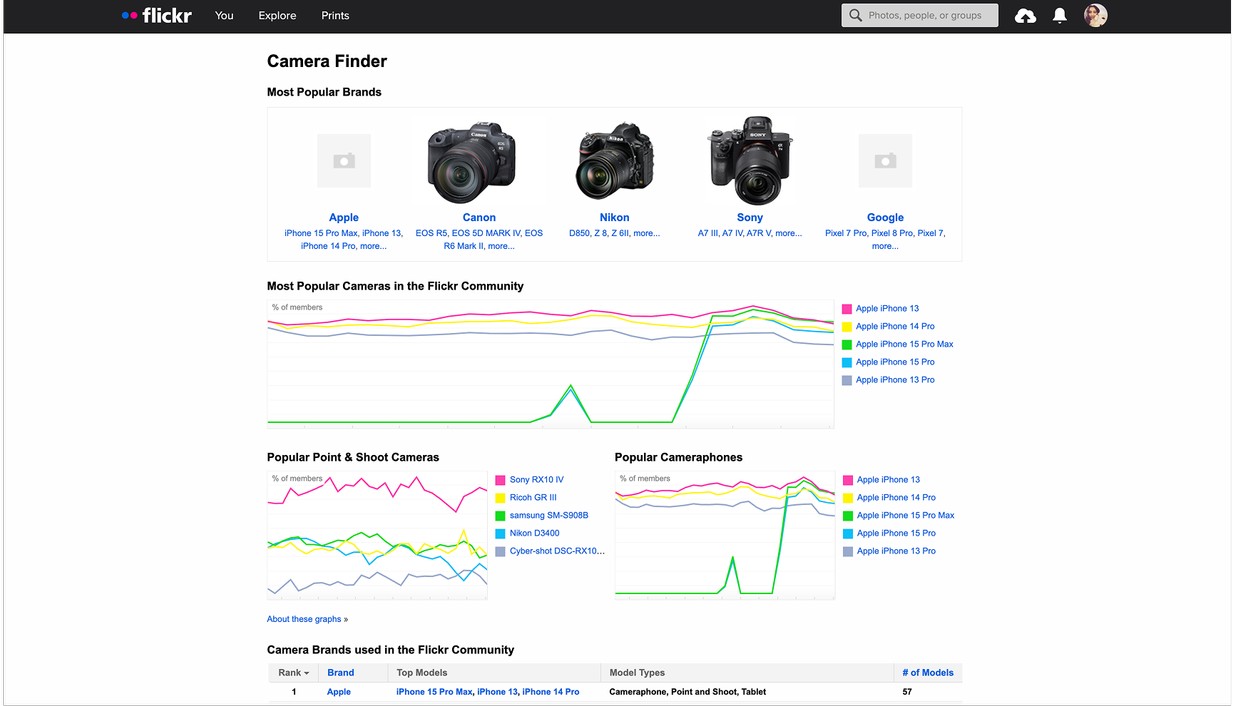
Flickr retains an outstanding amount of unique camera data built on an old tech stack, not easily viewed on mobile devices. Historically, a static page with dense tables and minimal interaction. How do we attract new users interested in camera data?
My Role
Senior Product Designer
I led the redesign of Flickr’s Camera Finder to simplify complex data into an engaging experience for both desktop & mobile.
Tools: Figma, Miro, Internal testing, Jira
Deliverables: User flows, graphs, and high-fidelity prototypes
Research first
“How might we capture more aspiring photographers utilizing our camera data?”
Working closely with our research intern, we collaboratively conducted a survey and interviews to better understand the photography journey. We learned:
Majority of users started their photography journey with their first camera purchase
Learning camera gear, settings, or techniques are key to a photographer’s growth (not just inspiration & community)
Majority of users went to Reddit or another site to compare camera gear
Methods
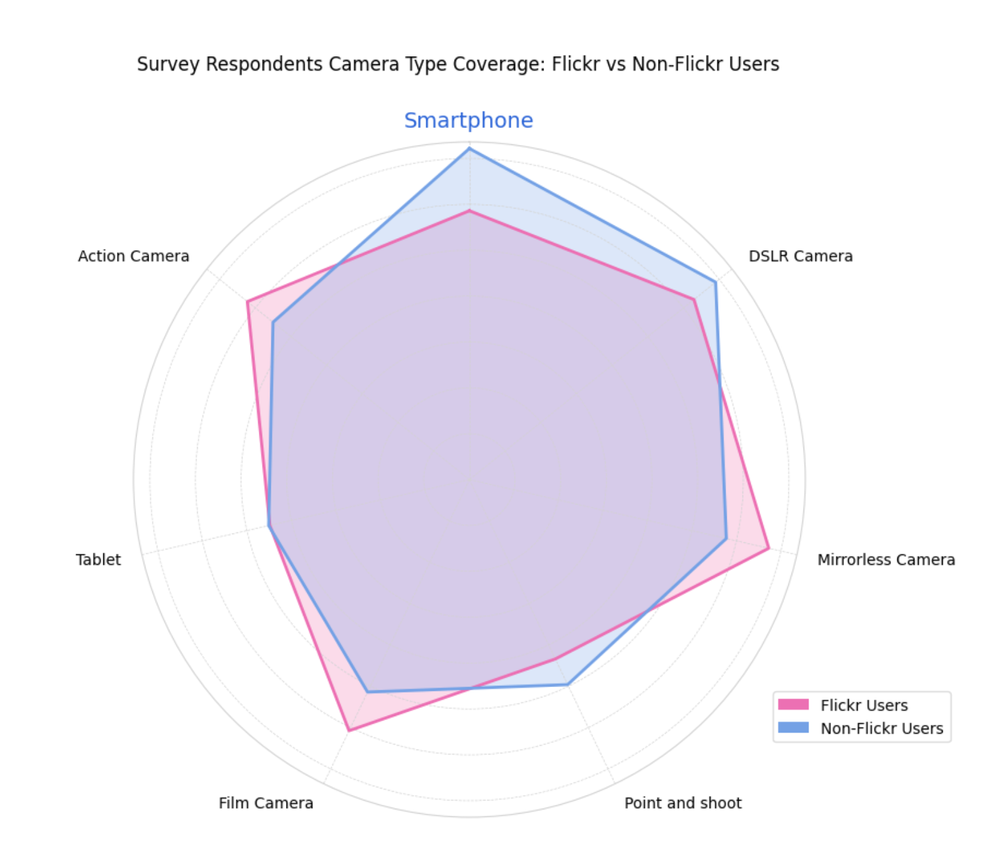
450+ survey respondents from various universities
10 user interviews
Audit of current Camera Finder
Findings
We learned quickly that camera data is not only valuable for photographers but essential to purchasing a camera. We also learned that camera data is most important for less experiences photographers or smartphone photographers. This indicated the value of comparing models to better understand what gear works best for your style.
“As a new photographer, I find camera finder uninspiring. Learning settings and trying new gear is important but I’d love to see photo comparisons based on my style. I’m a film photographer so seeing which gear can capture that is ideal.”
– Interview – Non Flickr User – Student Photographer
Strategy Approach
Information Architecture:
Transforming passive data into an interactive experience started with the hierarchy of information. This included:
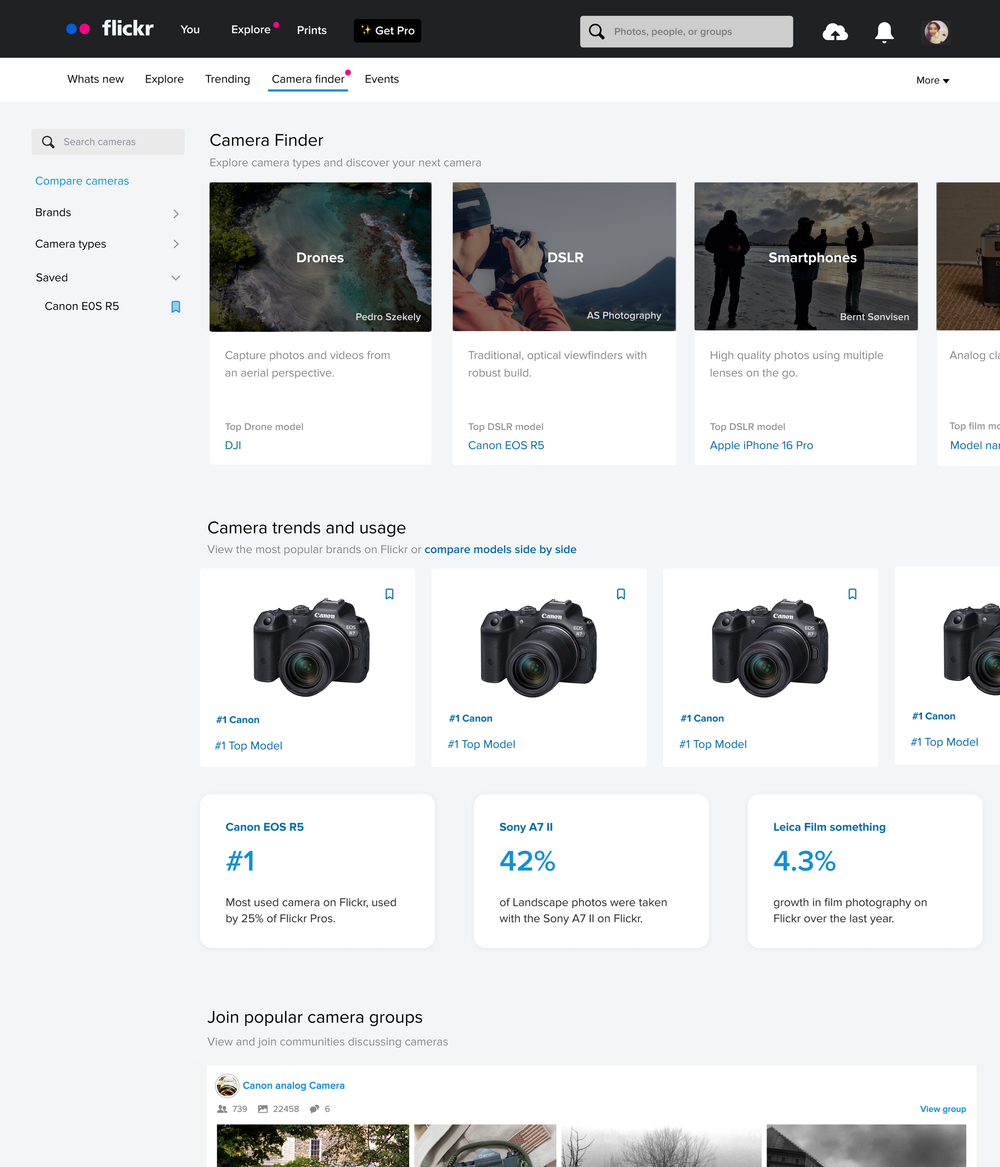
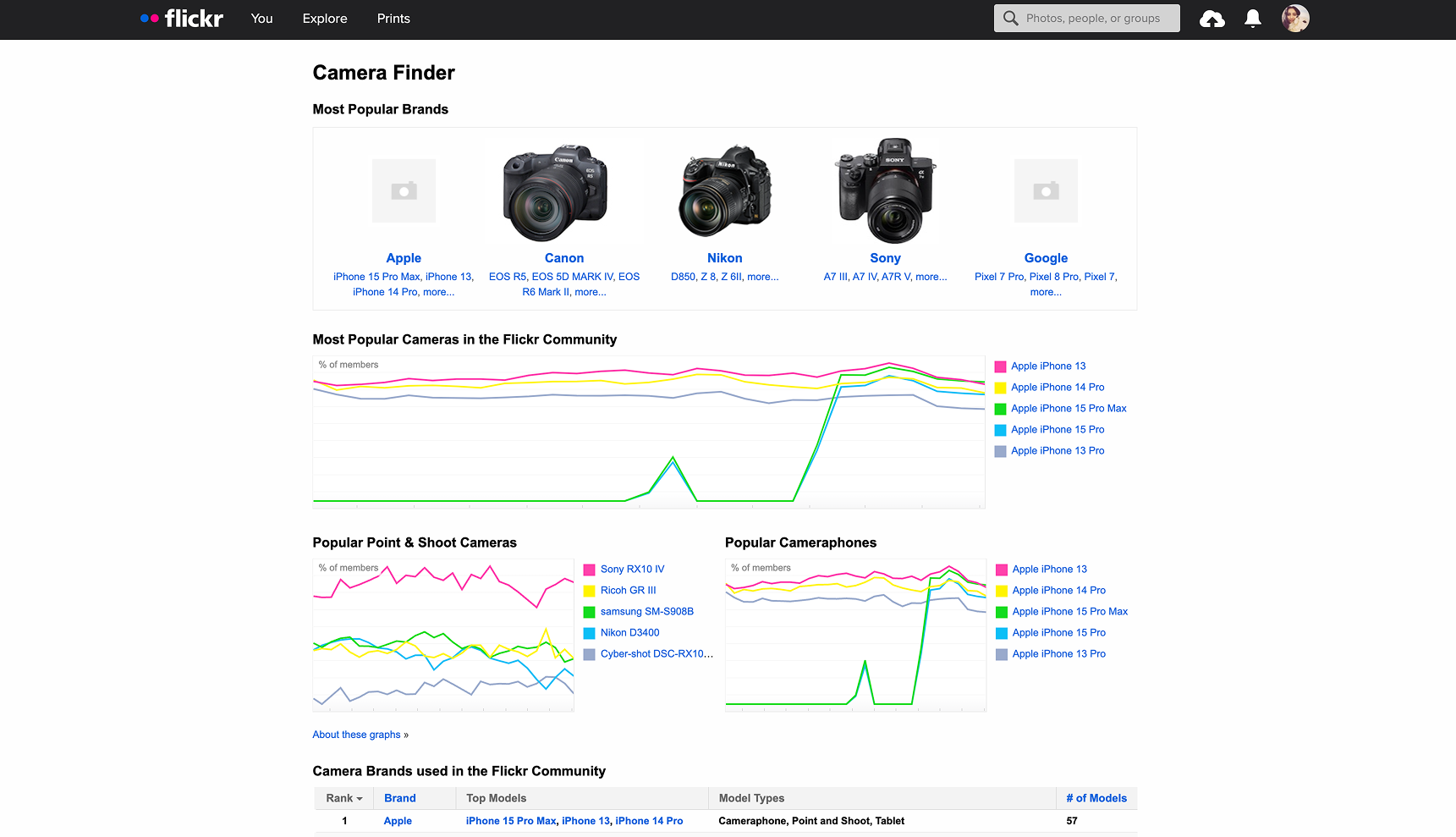
Simplified IA into brand and model pages for easier filtering
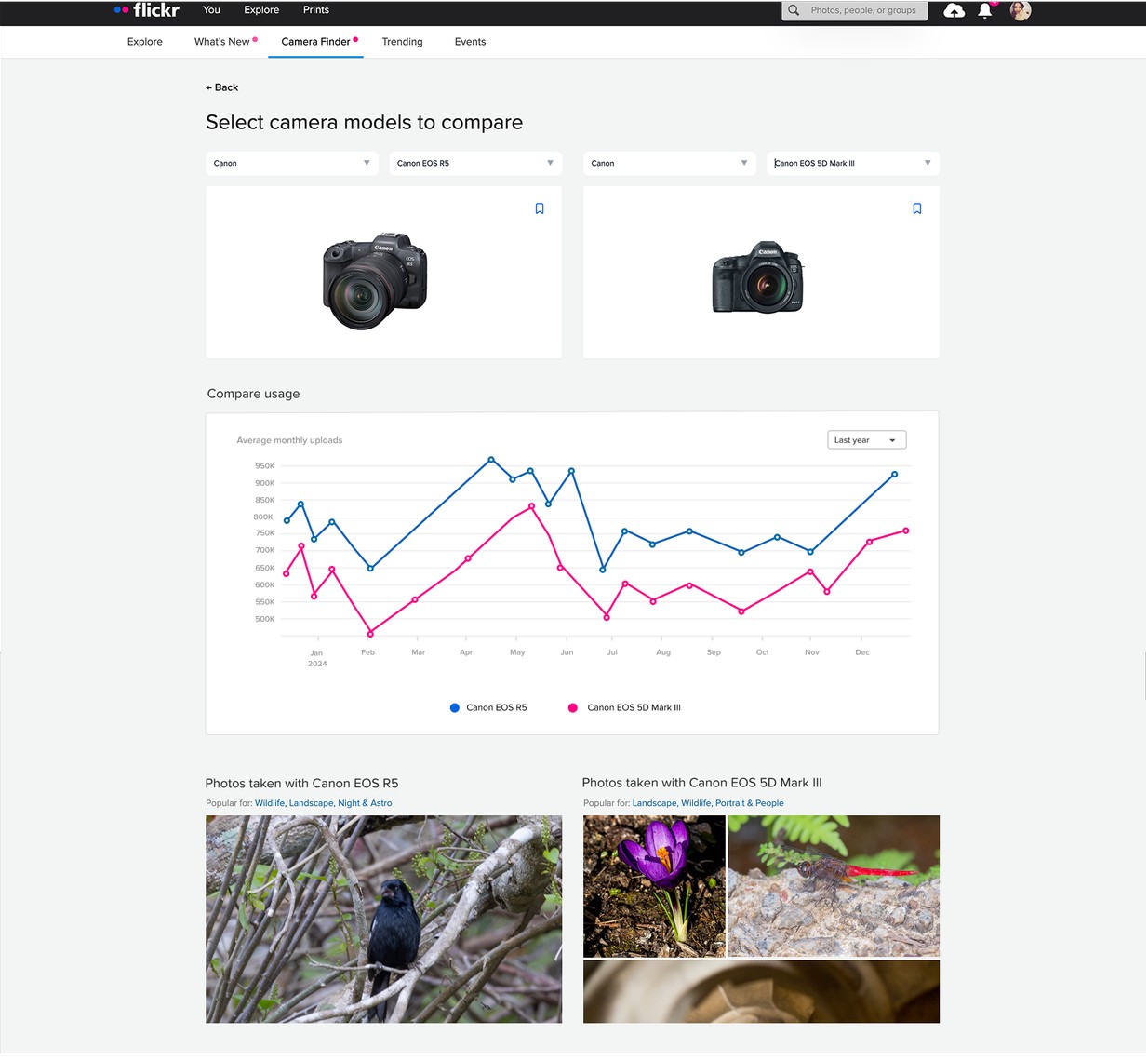
Introduced a new sidebar navigation for brands and models including a saved camera option to easily compare models
Utilized more storytelling to enhance the complex data such as top cameras used or best cameras to use to capture specific images
Visual Design & System Integration:
Created modular cards for models with key specs, usage charts and sample photos
Integrated trend graphs (ex: usage over time)
Applied Flickr’s design system and interaction patterns to make the new Camera Finder feel new and part of our existing site
Partnered with engineering to translate raw EXIF data into dynamic charts
Outcome
-
Early testing showed a 30% increase in average time spent on the page.
-
Improved mobile engagement by providing access to this page.
-
Re-established Camera Finder as a SEO entry point for new users.
-
Inspired future data driven designs or partnerships on Flickr such as lens trends, affiliate links or camera purchases.
Before
After
Learnings & Reflection