Mail to DM Refresh
Project Insights
The Problem
Despite Company X’s rich community roots, communication at times lacked real connection – a core need for their users. We knew:
The existing message to message interface was web-only, limiting engagement to desktop sessions.
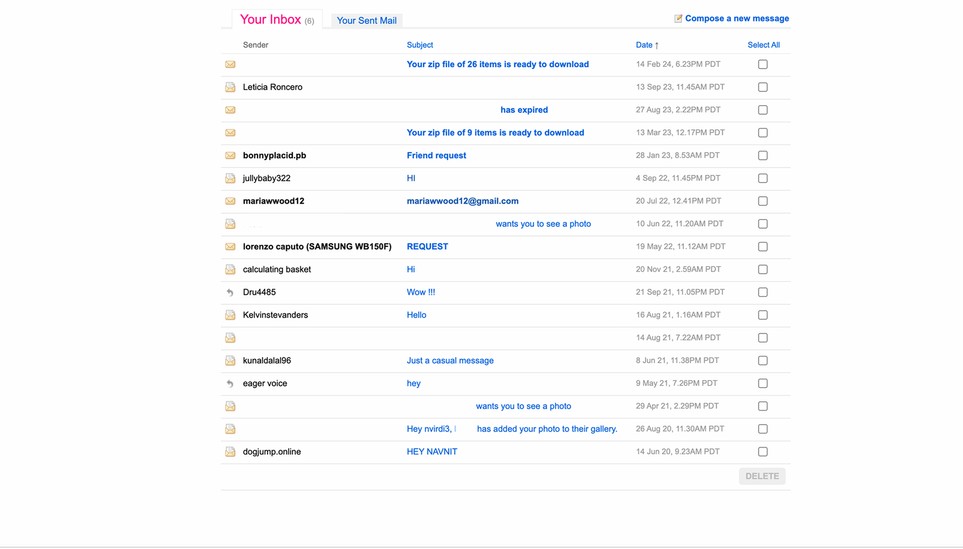
Outdated UX made messaging feel archaic.
Low discoverability: due to lack of notifications or mobile integration.
My Role
Senior Product Designer + Research
I led the research & redesign of Flickr’s legacy mail to help foster connection between our members.
Tools: Figma, Internal testing, Usertesting.com, Jira
Deliverables: User flows, wireframes, high fidelity prototypes for desktop & mobile
Research first
“How might we increase member to member connection?”
Company X’s existing mail feature is available to members only, so learning their usage patterns, pain points and motivations was essential to understanding the direction of this feature. Working with our product lead, I led the following:
Competitive analysis of messaging or communication apps/features – specifically photo sharing.
Reviewed existing data on market trends in this space
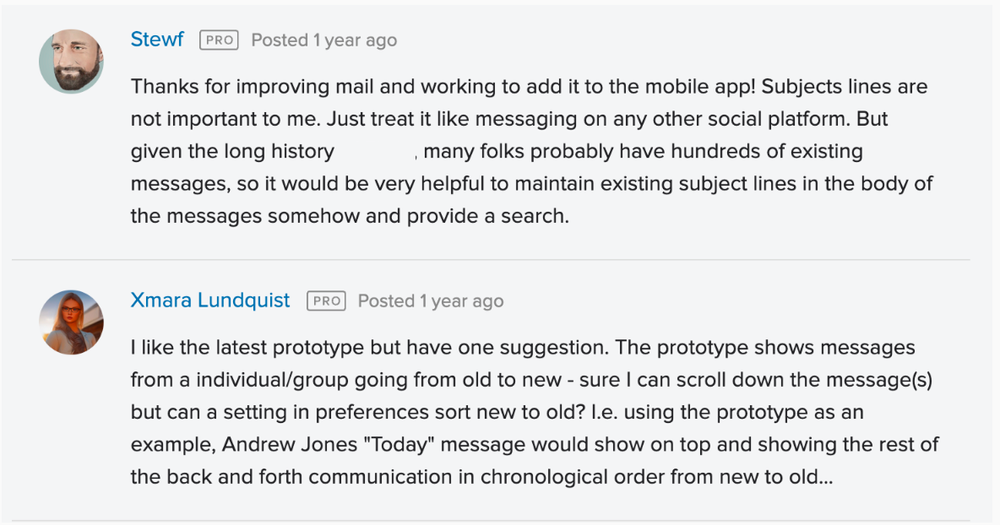
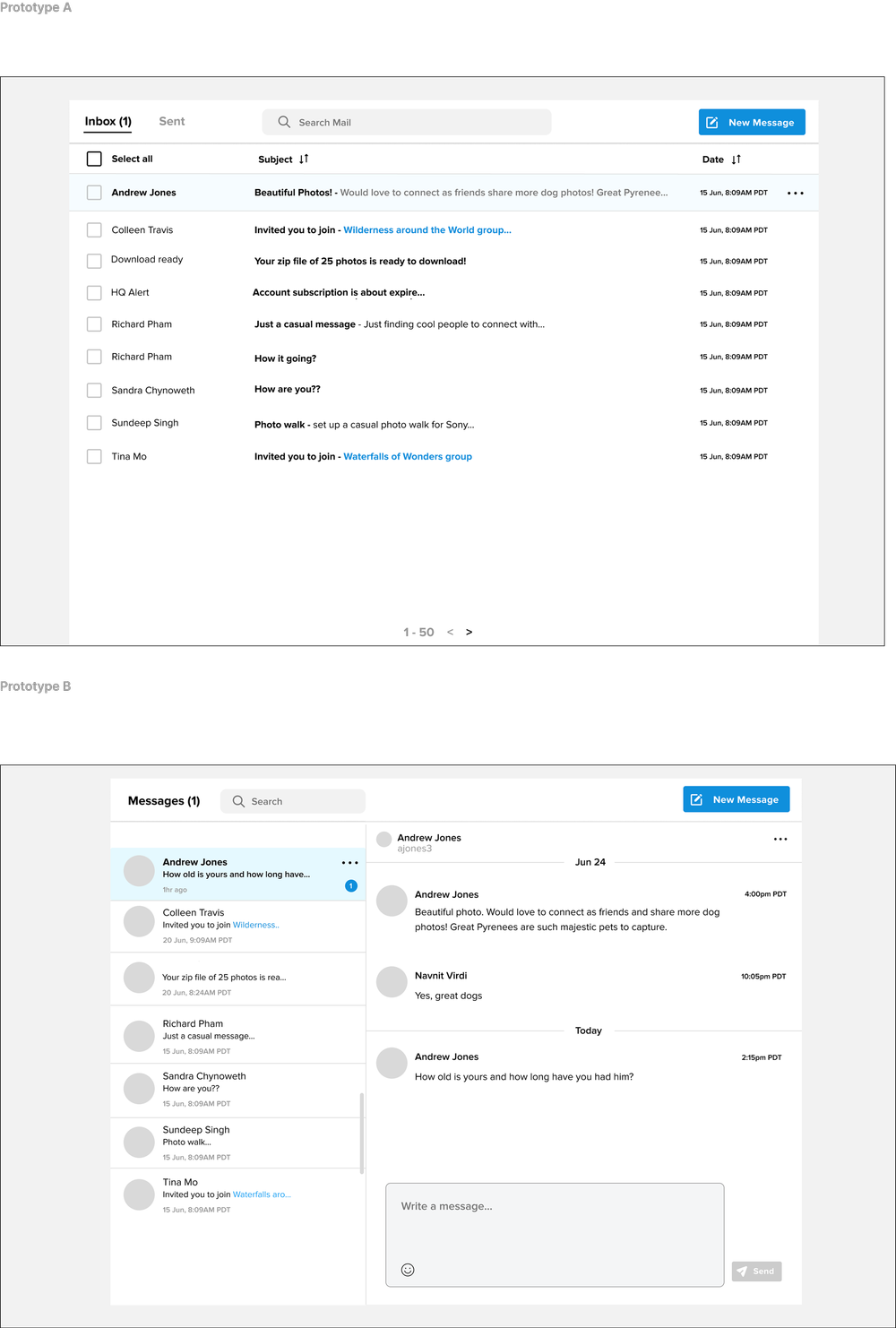
Designed two Figma prototype to A/B test and collect community feedback.
Surveyed a curated group of power users and daily active users.
Findings
Surprisingly, users had very specific workflows around how they used this feature. Newer members showed more engagement with a DM/messenger style, while more seasoned users didn’t want change. Our research showed the following:
High use of NSFW
Group messaging was a highly requested feature
Safety and moderation were top concerns for admins
Majority of messages were Free members reaching out to Paid
Strategy Approach
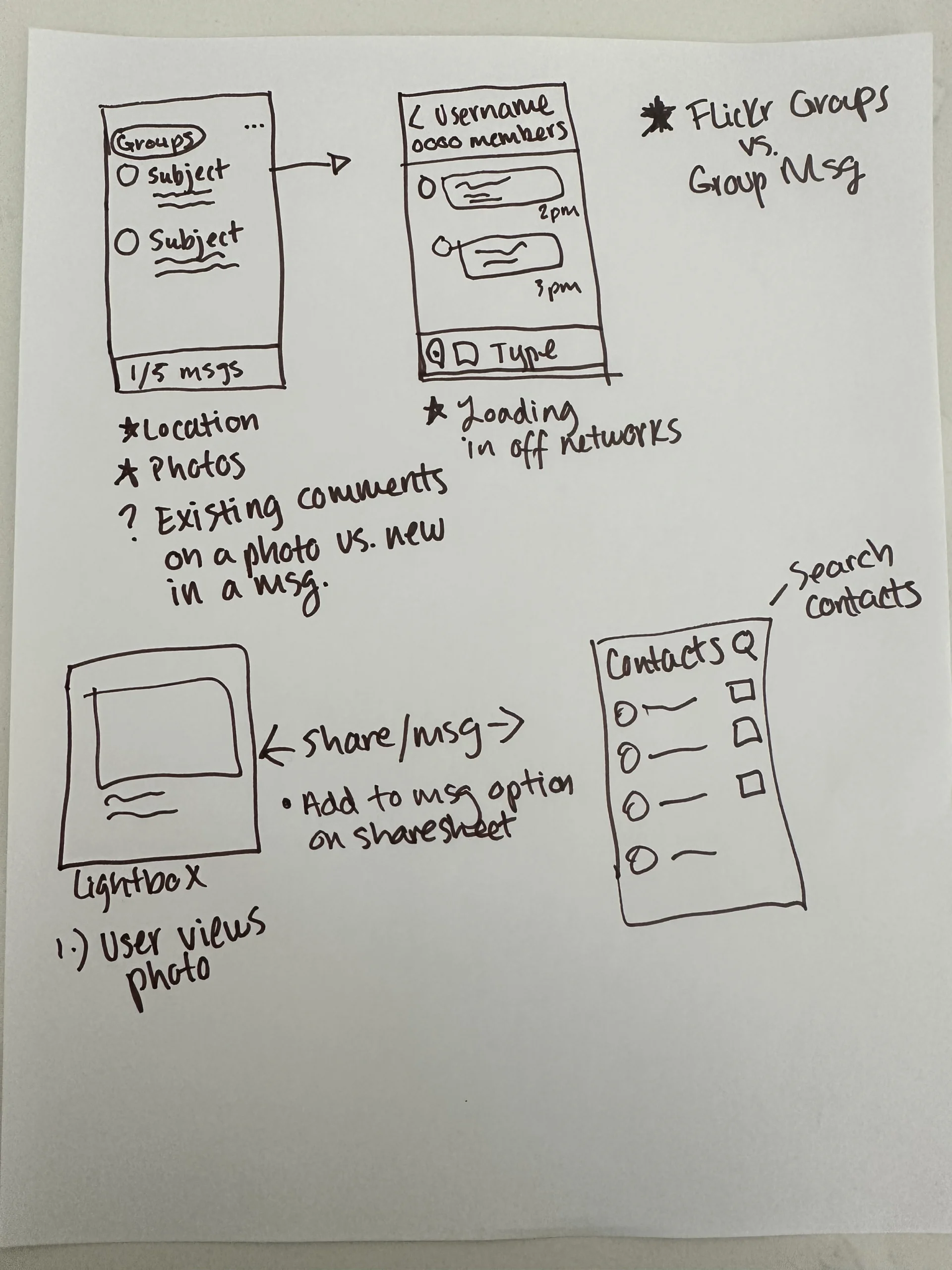
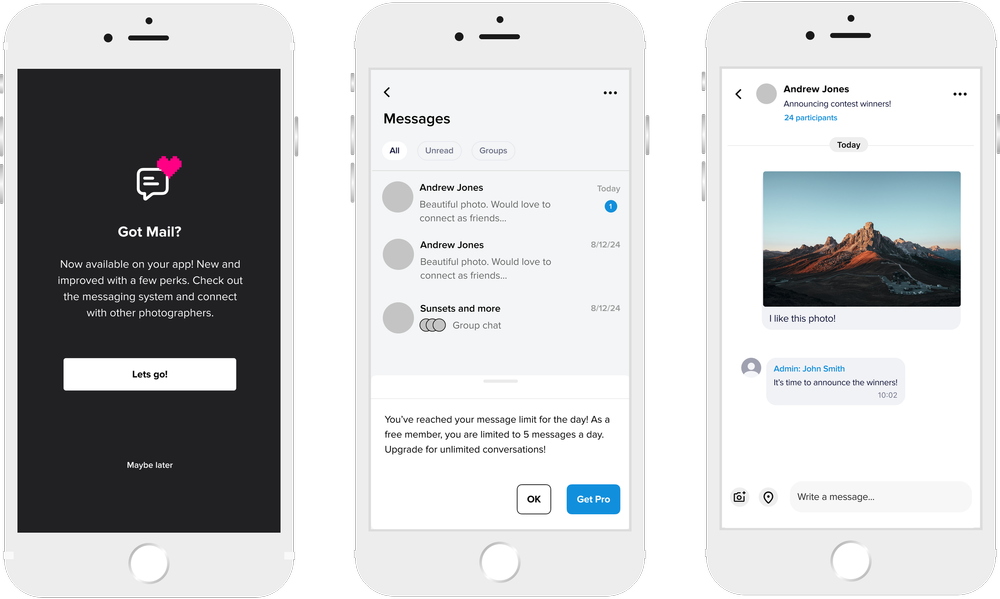
I reframed this feature from a “legacy inbox” to a conversation layer connecting users across the entire product. The biggest takeaway was access to this feature. Not having this on the apps hindered user’s ability to fully benefit from it. With that in mind, I focused on:
A mobile first version across iOS & Android
Bringing conversation context to photos
Make messaging feel modern, trustful, yet distinct to the brand
IA & User Flows
Mapped end-to-end flows for desktop and mobile.
Simplified navigation: Inbox → Thread → Media → Actions.
Added filters: All / Unread / Starred / Archived.
Visual Redesign
Applied Design System
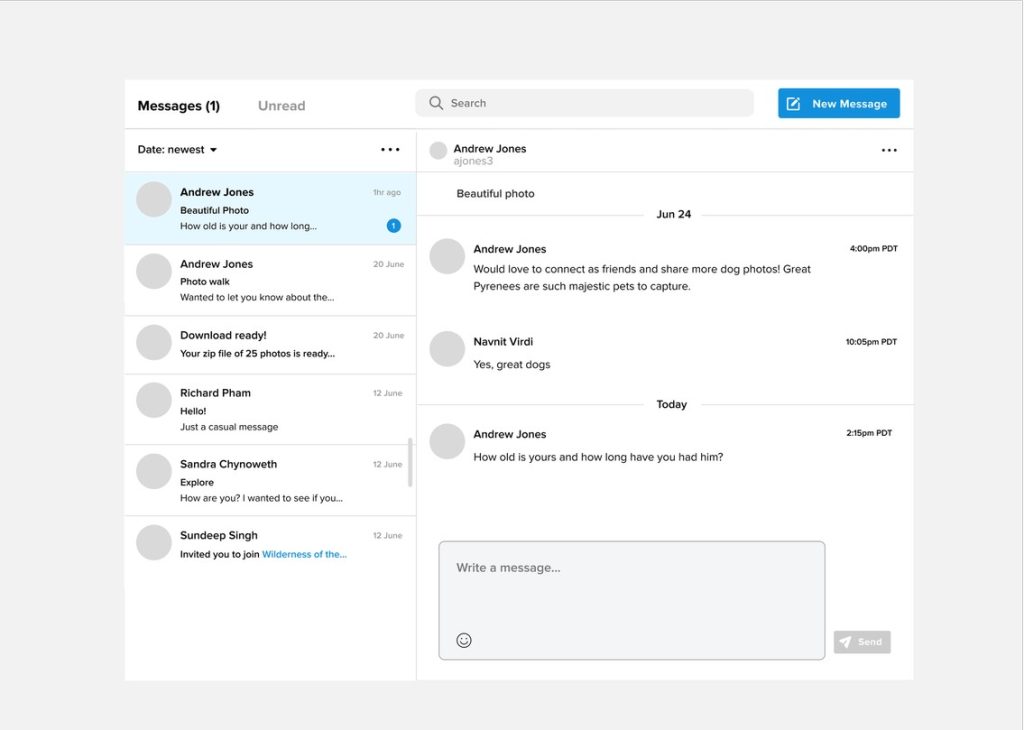
Introduced photo thumbnails and responsive layouts
Interaction Design
Added message reactions, typing indicators, and hover states.
Designed skeleton loaders for perceived speed.
Mobile Experience
Designed native iOS & Android screens.
Focused on parity and performance while leveraging system patterns.
Outcome
Early testing showed positive user signals for long term retention, such as:
Improving trust of our product, especially for paid admins
Improving adoption by enabling access across all devices
Monetization opportunities
Before
After
Learnings & Reflection
Messaging is as much about trust as it is about design polish. Through this project, I focused on balancing visual clarity with emotional reassurance—making interactions feel consistent, safe, and modern across devices. This foundation not only improved usability and engagement but also positioned this feature as a meaningful part of the product’s larger creator ecosystem.